There is a reality that more and more companies are beginning to accept when it comes to cybersecurity: password theft is a constant risk, even when good security practices are applied.
Employee training, strong password policies, multifactor authentication or perimeter protection systems are necessary and effective measures. However, none of them completely eliminate the possibility of an account being compromised at some point.
And when that happens, the problem isn't just initial access. In many cases, the real risk comes later: what that user can do once inside the system and how far they can go with legitimate access.
It is precisely in this scenario that solutions such as Watcher provide an additional layer of protection, focused not on replacing existing measures, but on reinforcing them, limiting the impact that unauthorized access can have within the work environment.
Let's imagine a realistic case. An employee of a company works daily with tools such as Google Workspace or Microsoft 365, managing internal documentation: reports, customer data, business proposals or financial information.
That account, for whatever reason, is compromised.
The result is the same: the cybercriminal gains legal access to the account. There are no obvious alerts. From the outside, everything seems normal. It's a valid session, with legitimate permissions and regular access to the work environment.
And then the really critical thing happens: access begins to be used for mass downloading of files.
In a very short time, an enormous amount of sensitive information can be extracted without raising immediate suspicion, since everything is being done from an apparently legitimate account. This type of behavior is especially dangerous because it doesn't break traditional access controls, but rather takes advantage of them.
This is precisely where one of the weakest points of many current security architectures lies: the legitimate use of compromised credentials for mass exfiltration of data.
And it is this scenario, as common as it is difficult to detect, that WWatcher addresses directly.
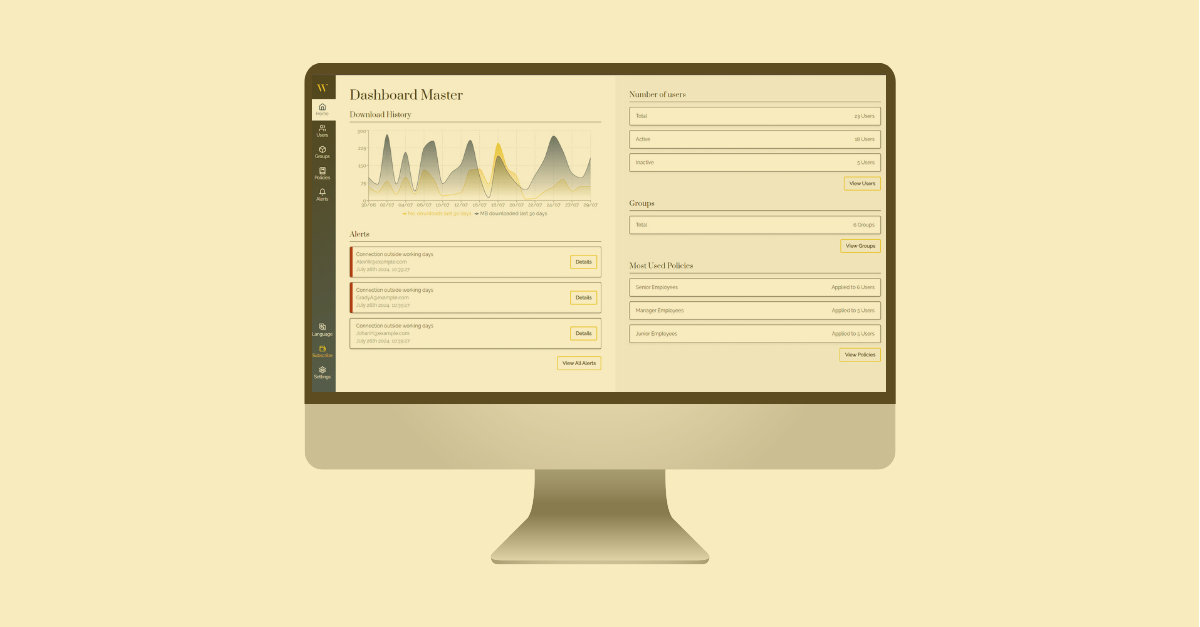
WWatcher is a cybersecurity tool designed specifically for work environments such as Microsoft 365 or Google Workspace. Its approach is not to block access (although it lives with those solutions), but control what happens to the information once it is inside the system.
Instead of trusting that all legitimate access is secure, it introduces an additional layer of control over the actual use of data, especially at one of the most critical moments: downloading files.
One of the keys to WWatcher is that it does not apply generic restrictions, but rather it adapts to the actual functioning of each user within the organization.
Not all employees use data in the same way. Not everyone needs to download the same amount of information. And not everyone has the same level of access.
For this reason, WWatcher allows you to define download limits based on:
This means that the system understands what is “normal” for each profile and acts accordingly.
An administrative user, for example, may have a limited daily download volume consistent with their work. A technical or analytical profile may require a larger margin. But in all cases there is control.
This approach has a very important consequence: any behavior that goes out of the ordinary ceases to be possible or, at the very least, is restricted.
This is where Watcher demonstrates its real value.
If an attacker accesses a valid account, they are faced with an environment that does not allow them to act freely:
Even if you try to do so progressively, established limits dramatically reduce the speed and impact of the attack.
This completely changes the scenario.
Where an attacker used to be able to steal critical information in minutes, they now face constant barriers that:
In practical terms, You go from a serious data leak to a controlled incident.
Although we often think of external attackers, not all risks come from outside.
Watcher also protects against situations such as:
By setting clear and automatic limits, the tool introduces a layer of control that doesn't depend solely on user behavior.
Not only does this improve security, but it also helps companies establish best practices without holding back daily operations.
One of the most important aspects of WWatcher is that it works directly on the tools that companies already use.
It doesn't force you to change processes or platforms. It integrates with the existing environment (such as Microsoft 365 or Google Workspace) and acts on the actual use that is made of the data.
This makes it easier to adopt and allows security to be reinforced without introducing unnecessary complexity into the daily lives of teams.
Most traditional strategies remain focused on preventing unauthorized access. But reality shows that that approach alone is no longer sufficient.
WWatcher introduces a change of perspective more aligned with the current context:
Its objective is clear: protect information even in the worst possible scenario, when someone has already managed to get in.
Passwords fail. It's a matter of time, not of possibility.
That's why companies that truly want to protect their information can't rely solely on access control. They need mechanisms that also act later.
WWatcher covers precisely that critical point, controlling the download of data and preventing compromised access from turning into a massive information leak.
In an environment where data is one of the most valuable assets, this capability isn't just an improvement in security. It's an essential layer to ensure business continuity, trust and real protection.