In the era of Big Data, any organization's most valuable asset is its information. However, traditional perimeter security is no longer sufficient. The real danger usually lies in the data exfiltration, a process where legitimate users or attackers with compromised credentials extract huge volumes of files.
Detecting a mass download in time isn't just a matter of the computer equipment; it's the difference between a normal working day and an irreversible reputational and legal crisis.
Most companies focus on preventing someone from “getting in”, but few monitor in detail what “comes out”. The mass download of files is often disguised under legitimate traffic, especially with the rise of teleworking and the use of cloud tools.
To identify a leak, it's vital to first establish a “baseline”. The tools of User Behavior Analytics (UBA) allow us to understand what is normal for an administrative employee compared to what is normal for a software developer. If a user who usually handles 10 KB files suddenly starts downloading gigabytes of encrypted data, the system should issue an immediate alert.
Not all mass downloads are the same. An attacker can be loud or extremely cautious. For effective detection, we must look at the following critical points:
The most obvious symptom is a sudden increase in output bandwidth. It is essential to monitor file transfer protocols, but also less obvious channels such as HTTPS or even DNS, which can be used for data tunneling.
An unambiguous alarm signal occurs when a user accesses and downloads files from folders that they haven't consulted in months, or that contain critical intellectual property, without active project justification.
If an employee connects their VPN at three in the morning from an IP address located in a country where the company has no operations, and then initiates a mass transfer, we are faced with a high-priority security incident.
To move from reaction to proactivity, it is necessary to implement technological layers that “talk” to each other.
A good DLP system doesn't just block; it informs. These tools analyze the content of files that attempt to leave the network. If they detect patterns such as credit card numbers, ID or sensitive project keywords, they can automatically stop the download.
El SIEM (Security Information and Event Management) It's the brain of the operation. Its function is to correlate the firewall log with the file server access log and VPN activity. Only by joining these dots can we see the full picture of an ongoing exfiltration.
To move from passive detection to active prevention, it is necessary to have specialized tools that act where the firewall does not reach. Watcher is positioned as the strategic ally for companies that operate in modern collaboration environments.
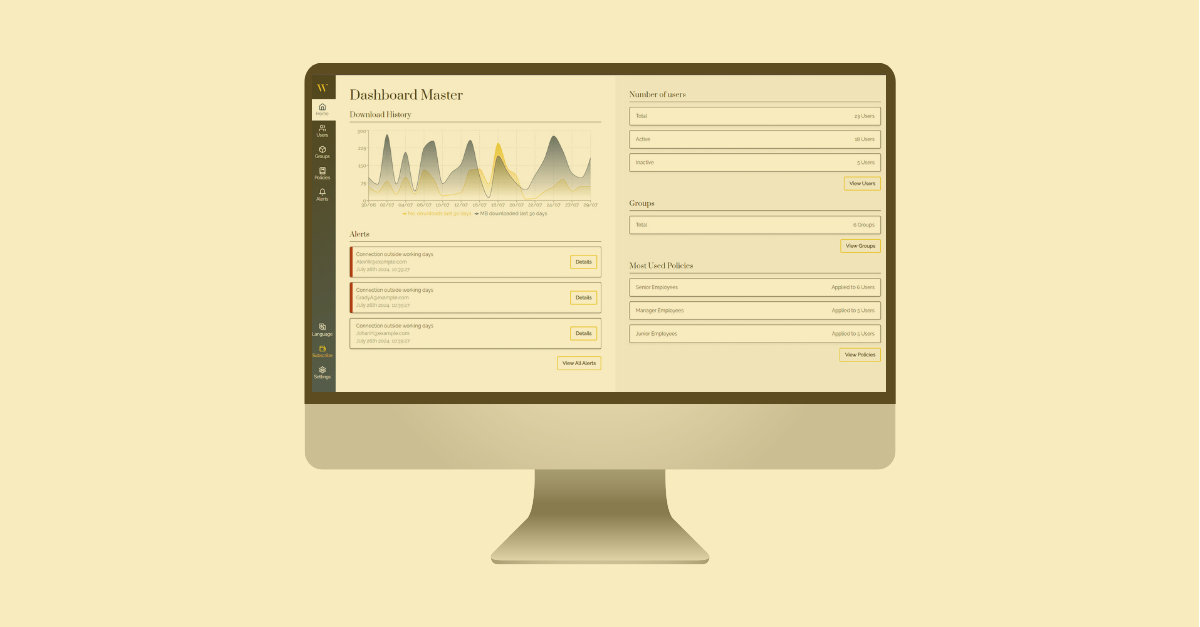
Unlike generic solutions, WWatcher allows system administrators to set specific download limits. If a user tries to exceed a predefined data threshold, the system can block the action or issue a real-time alert, stopping exfiltration before the damage is massive.
WWatcher integrates into the company's workflow, providing clear visibility into who downloads what and when. This not only helps detect external attacks through credential theft, but also the “internal risk” of employees who attempt to steal sensitive information before leaving the company.
Detecting the problem is only the first step. The speed of response will determine the extent of the damage.
Upon confirmation of an unauthorized mass download, the first technical step should be the isolation of the affected host or the temporary deactivation of the user's credentials. This stops data bleeding while the source is being investigated.
Once the threat is contained, it is vital to perform an analysis of the logs to determine which exact files have been compromised. According to the General Data Protection Regulation (RGPD) in Spain, if personal data has been leaked, the company has a legal obligation to notify the AEPD and those affected within a maximum period of 72 hours.
Security awareness training remains the strongest link. An employee who knows how to report an email from Phishing can prevent an attacker from obtaining the credentials needed to initiate a mass download.